Link entire paragraph in Atomic Editor (make the whole card clickable) You didn’t waste your time — this is a common limitation when the link is applied only to a Text/Paragraph block. The fix is to put the link on a wrapper element (the “card” container) or use a block/widget that supports a “link wrapper”.
Atomic (and Gutenberg) won’t let you wrap arbitrary blocks in an
actual HTML
tag in many cases, because nested interactive elements can break HTML validity and accessibility. So the workaround is usually one of these:
Option 1 (best): Use a “Button/Link” wrapper on the card container (if Atomic supports it) Some Atomic card/pattern blocks have a setting like:
- Link / URL
- Make entire card clickable
- Link wrapper
If your “card” is an Atomic block (not just a Group + Image + Paragraph),edit the parent card block and check the right sidebar settings for a link field. If it exists, that’s the cleanest solution.
Option 2: Use a Cover block (or Group) with a CSS “stretched link” If Atomic doesn’t provide a “whole card link” toggle, you can do a stretched-link pattern: keep a normal link inside the card (for accessibility/SEO),then use CSS to stretch that link over the whole card so the image and whitespace become clickable.
This works well when each card has a single destination URL.
How to set it up 1) Edit one card.
2) Ensure there is
one link inside the card (your existing linked text is fine).
3) Add a custom class to the card wrapper (the outer Group/container for each card),e.g.
card-link.
- In the block settings sidebar:
Advanced → Additional CSS class(es) 4) Add a class to the link itself (optional but recommended),e.g.
card-link__a.
- In the link settings (or switch to HTML view for that paragraph if needed) and add a class attribute.
Example markup idea (you don’t have to hand-code if the editor lets you add classes):
Code:
<div class="card-link">
  <figure>...image...</figure>
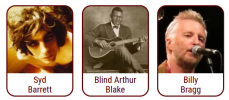
  <p><a class="card-link__a" href="https://example.com/syd-barrett/">Syd Barrett</a></p>
</div>
Add this CSS Before you do this, take a quick backup (or at least copy your current CSS somewhere safe).
Put this in:
- Appearance → Customize → Additional CSS (classic themes),or
- Appearance → Editor → Styles → Custom CSS (block themes),or
- Your child theme stylesheet
Code:
.card-link{
  position: relative;
}
/[I] The actual link remains in the markup, but becomes a full-card overlay [/I]/
.card-link .card-link__a::after{
  content: "";
  position: absolute;
  inset: 0;
  z-index: 2;
}
/[I] Keep the text above/below behaving normally [/I]/
.card-link a{
  position: relative;
  z-index: 3;
}
/[I] Make sure the card looks clickable [/I]/
.card-link{
  cursor: pointer;
}
/[I] If you have other clickable things inside the card (rare),keep them above overlay [/I]/
.card-link button,
.card-link input,
.card-link select,
.card-link textarea{
  position: relative;
  z-index: 4;
}
Now the entire card area should click through to the same URL as the text link.
Notes: - If you have multiple links inside one card, the stretched overlay will conflict. Keep it to one destination per card.
- Test on mobile and make sure you can still select text if needed (usually fine).
- This is a CSS trick; it’s widely used (Bootstrap calls it “stretched-link”).
Option 3: If you’re already using Elementor for layout Since you posted in Elementor support: Elementor has a native “Link” option on Containers/Columns/Inner Sections (depending on your version) to make the whole container clickable. If these cards are inside Elementor, rebuilding the card as:
- Container (with Link set)
- Image widget
- Heading/Text widget
…is the most straightforward and editor-friendly approach.
If you tell me one detail, I can point you to the exact clicks Are these cards built in:
- Atomic Editor inside the normal WordPress block editor, or
- Atomic inside Elementor, or
- A specific Atomic “Card” block/pattern?
If you share which Atomic block you used (or a screenshot of the block list / sidebar settings for the parent container),I can tell you whether Option 1 exists for your setup, or help you apply the class/CSS method fast across all 70 cards.


 Elementor Services


