• Join the Best Wordpress and Elementor Support forum

    Provide or get advice on everything Elementor and Wordpress, ask questions, gain confirmation or just become apart of a friendly, like minded community who love Wordpress and Elementor


    Join us!

Question How to create custom display condition

A

athanasius

New Member
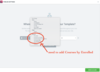
I am trying to figure out how I can create a custom display condition for templates. So for example, I am using LearnDash LMS and would like to specifically add a condition for users that are enrolled in a course. I dug into the ElementorPro Conditions classes to see how things are being done for the default conditions but I am not sure if I am on the right track. I've included the start of a class I have written to hopefully do the job, however I am not sure how/where to register this. Any help would be appreciated.

Thanks!

PHP:
class Course_By_Enrolled extends ElementorPro\Modules\ThemeBuilder\Conditions\Condition_Base {

    private $post_type;

    public static function get_type() {
        return 'singular';
    }

    public static function get_priority() {
        return 40;
    }

    public function __construct( $post_type ) {
        parent::__construct();

        $this->post_type = $post_type;
    }

    public function get_name() {
        return 'course_by_enrolled';
    }

    public function get_label() {
        return sprintf( __( 'Course By Enrolled', 'elementor-pro' ), $this->post_type->label );
    }

    public function check( $args = null ) {
        if (is_singular('sfwd-courses')) {
            $course_id = get_the_ID();
            $user_id = get_current_user_id();
            return is_user_logged_in() && sfwd_lms_has_access( $course_id, $user_id );
        }
        return false;
    }

}
 

Attachments

  • custom_condition.png
    custom_condition.png
    111 KB · Views: 494
A

athanasius

New Member
I figured out how to do it. For anyone else trying to achieve something similar here is what I added to my child theme functions.php file:

Code:
add_action( 'elementor/theme/register_conditions', function( $conditions_manager ) {
    class Course_By_Enrolled extends ElementorPro\Modules\ThemeBuilder\Conditions\Condition_Base {

        public static function get_type() {
            return 'singular';
        }

        public static function get_priority() {
            return 40;
        }

        public function get_name() {
            return 'course_by_enrolled';
        }

        public function get_label() {
            return sprintf( __( 'Courses By Enrolled', 'elementor-pro' ), $this->post_type->label );
        }

        public function check( $args = null ) {
            if (is_singular('sfwd-courses')) {
                $course_id = get_the_ID();
                $user_id = get_current_user_id();
                return is_user_logged_in() && sfwd_lms_has_access( $course_id, $user_id );
            }
            return false;
        }

    }
    $conditions_manager->get_condition( 'sfwd-courses' )->register_sub_condition( new Course_By_Enrolled() );
}, 100 );

The $conditions_manager->get_condition( 'sfwd-courses' ) will specify where in the menu the condition will reside. So if you just want to add a new top level condition you would probably use 'singular' instead of sfwd-courses which is specific to LearnDash.

Hope this helps someone else.

Pax,
Athanasius
 

Latest Resources

Other Elementor Resources

elementor official

Still stuck? Ask the forum

Post your question with a screenshot and a link if you can, and a member will usually reply within a day. Free to join, no sales pitch.

Create a free account
Top